AI Interior Design from Photo - Free and Easy
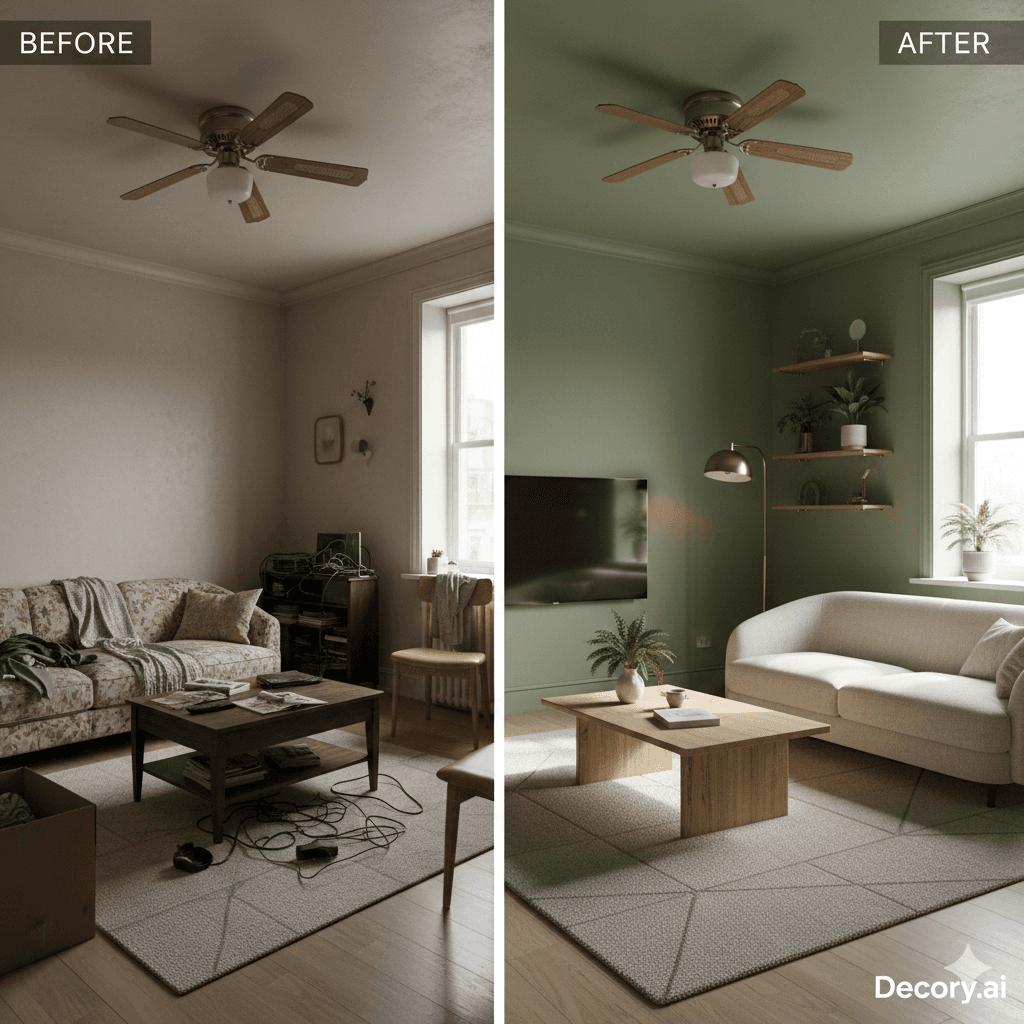
We've all experienced the "Pinterest frustration." You spend hours scrolling through perfectly curated boards of "Modern Farmhouse" kitchens or "Dark Academia" libraries, only to look up and realize your own space is a chaotic mix of hand-me-down furniture and beige walls. Historically, the bridge between a dream and a reality was an expensive one, requiring thousands of dollars in designer fees and weeks of rendering time.
However, in 2026, that barrier has officially been dismantled. The rise of sophisticated AI interior design tools has turned every smartphone into a professional-grade design studio. With just a single photo, you can now visualize a complete AI room makeover in seconds. This guide explores how to use an AI home decoration tool like Decory.ai to transform your living space instantly and without any technical expertise.
What is AI Interior Design from a Photo?
AI interior design from a photo is a technology that uses computer vision and generative models to analyze a 2D image of a room and instantly render a high-fidelity redesign based on specific style inputs.
Unlike the basic digital filters of the past, modern room design AI does not just overlay colors; it understands the fundamental "spatial intelligence" of your home. The AI identifies structural elements such as where walls meet the ceiling, the location of doors and windows, and the presence of existing furniture. By 2026, these engines have achieved 96% to 99% accuracy in spatial mapping, ensuring that a digital redesign respects the physical boundaries and lighting conditions of your actual room. This technology essentially creates a "digital twin" of your space, allowing you to experiment with thousands of variations before ever picking up a paintbrush.
How the AI "Thinks" About Your Space
When you upload a photo, the AI utilizes Computer Vision to identify "traffic flow" and circulation patterns. It calculates the depth of the room and ensures that any new furniture suggested is proportionate to the wall length and ceiling height. Furthermore, advanced Ray Tracing engines simulate how natural light from your specific windows will bounce off different materials, like the difference between a matte oak floor and a polished marble countertop.
Why Decory.ai is a Top Choice for AI Room Design
Decory.ai is the top choice for AI room design because it offers unparalleled precision through features like "Area-Specific Editing" and "Style Reference" matching that allow for professional-level customization.
While many apps provide a "total makeover" that changes every single element in a photo, Decory.ai is built for the "Lived-In Interior" trend of 2026—a movement that favors organic layering over sterile, showroom-style uniformity. Here is why Decory.ai is considered the gold standard of AI home design apps:
- Photo-to-Render in Seconds: Snap a photo of a messy, cluttered room, and the AI will "clean" and restyle it in under 30 seconds.
- 20+ Curated Styles: Choose from a curated library including Modern, Coastal, Boho, and specialized themes like Minimalist or Southwestern.
- Area-Specific Editing: This is the game-changer for 2026. Instead of a total refresh, you can highlight just a wall, a corner, or a furniture zone to redesign only that specific section.
- Intelligent Object Removal: Erase dated ceiling fans, unwanted piles of clutter, or old radiators with "AI precision" to see a clean version of your space.
- Style Reference Tool: Upload an inspiration image from a magazine or hotel, and Decory.ai will extract the "style DNA" (color palette and textures) to apply it directly to your room photo.
Step-by-Step Guide: How to Use an AI Interior Design App
To use an AI interior design app, you follow a simple four-step process: upload a clear photo of your room, select a design style, use precision tools to swap specific items, and download your 4K render.
Using an interior design AI has never been more intuitive. By following this 4-step workflow, you can move from inspiration to implementation in less than 10 minutes:
- Capture and Upload: Take a photo of your room during the daytime to capture the best natural light. For the most accurate spatial analysis, stand in a corner or at a 90-degree straight angle facing a wall.
- Analyze and Style: Once you upload to Decory.ai, the AI analyzes your room's architecture and lighting. Select from 20+ curated styles or use the "Style Finder" quiz to identify your perfect aesthetic.
- Refine with Precision Tools: Use the "Replace Objects" feature to swap your current sofa for a curved modern model or test "New Flooring" like light-colored ash or bamboo. You can even use the "Furniture Search" tool to visualize specific pieces in your actual space.
- Shop the Look: Once your render is finalized, Decory.ai provides a curated shopping list. You can see 8-12 similar real-world products from leading stores, complete with prices and reviews, making procurement seamless.
Top Trends in AI Decor for 2026
The top trends for 2026 include "Warm Minimalism," which favors matte natural woods and earthy tones, and "Biophilic Design," which uses AI to strategically integrate greenery based on room lighting.
The aesthetics of 2026 are defined by a move away from high-gloss, sterile environments and toward spaces that feel grounded and tactile.
Warm Minimalism and Natural Woods
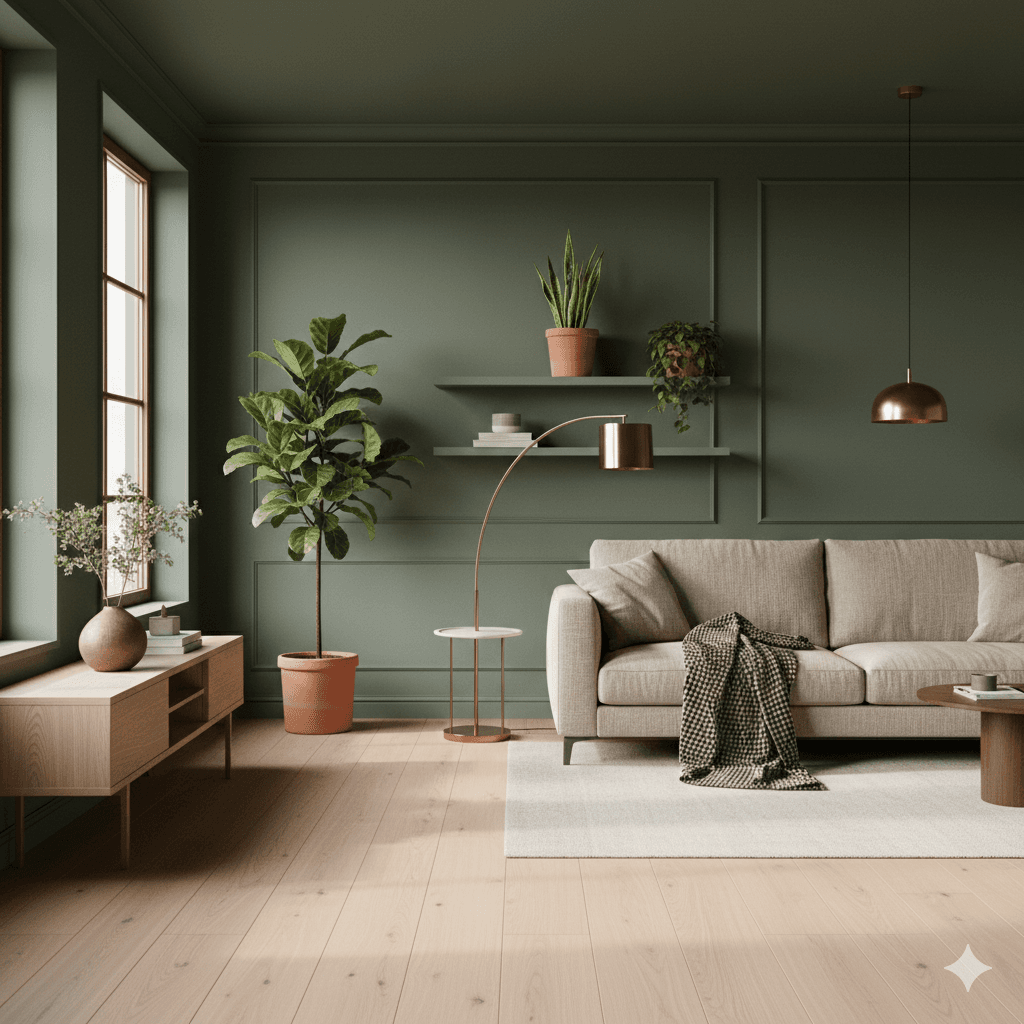
Forget the cold whites and greys of previous years. The 2026 aesthetic is defined by "Natural Wood Elements." AI tools are now specifically programmed to render light oak, ash, and bamboo with hyper-realistic textures. This "matte" look promotes a sense of well-being and sustainability that gloss finishes cannot match.
Biophilic Design and "Functional Greenery"
Biophilic design is the integration of nature into the built environment. In 2026, AI decor tools can calculate where a plant will receive the best light based on the shadows in your photo. This allows users to visualize "Functional Greenery" that not only looks good in a render but would actually thrive in their physical home.
Color Drenching and Warm Metallics
"Color Drenching"—painting the walls, ceiling, and trim in one cohesive, earthy shade like sage green or artichoke blue—is a major trend. Simultaneously, "Warm Metallics" like brushed brass and copper are replacing chrome to add a layer of sophistication to modern AI living room design.
Frequently Asked Questions (PAA Optimization)
Is there a free AI to design a room?
Some AI design tools offer limited free tiers. Decory.ai is free to download on iOS and Android, but a Premium subscription is required to generate designs — there is no free generation allowance.
How can I see what my room looks like with different furniture?
You can use the "Replace Objects" tool in an AI home decoration app to virtually swap your existing furniture with new items while maintaining the room's proportions. This feature allows you to test different layouts and sizes, such as a sectional versus a traditional sofa, to ensure the new pieces won't block traffic flow.
How accurate is AI spatial design in 2026?
Leading tools currently boast an accuracy rate between 96% and 99% when extracting dimensions and architectural features from a standard photo. However, users are encouraged to take photos at eye level and avoid wide-angle lenses to ensure the AI doesn't distort the perspective of the space.
Can AI design my whole house at once?
While most tools focus on individual room transformations, 2026 has seen the rise of "Digital Twins" where video captures are used to create navigable 3D models of entire properties. Using technology like Gaussian Splatting, you can now "walk through" a redesigned floor plan using a mobile device or VR headset.
Call to Action
Don't let "Pinterest envy" hold you back. Whether you're planning a full renovation or just want to see how a new rug would look, the power of professional design is now in your pocket.
Download Decory.ai today and visualize your dream room in seconds.