AI Interior Design vs. Professional Designer: Honest Comparison (2026)
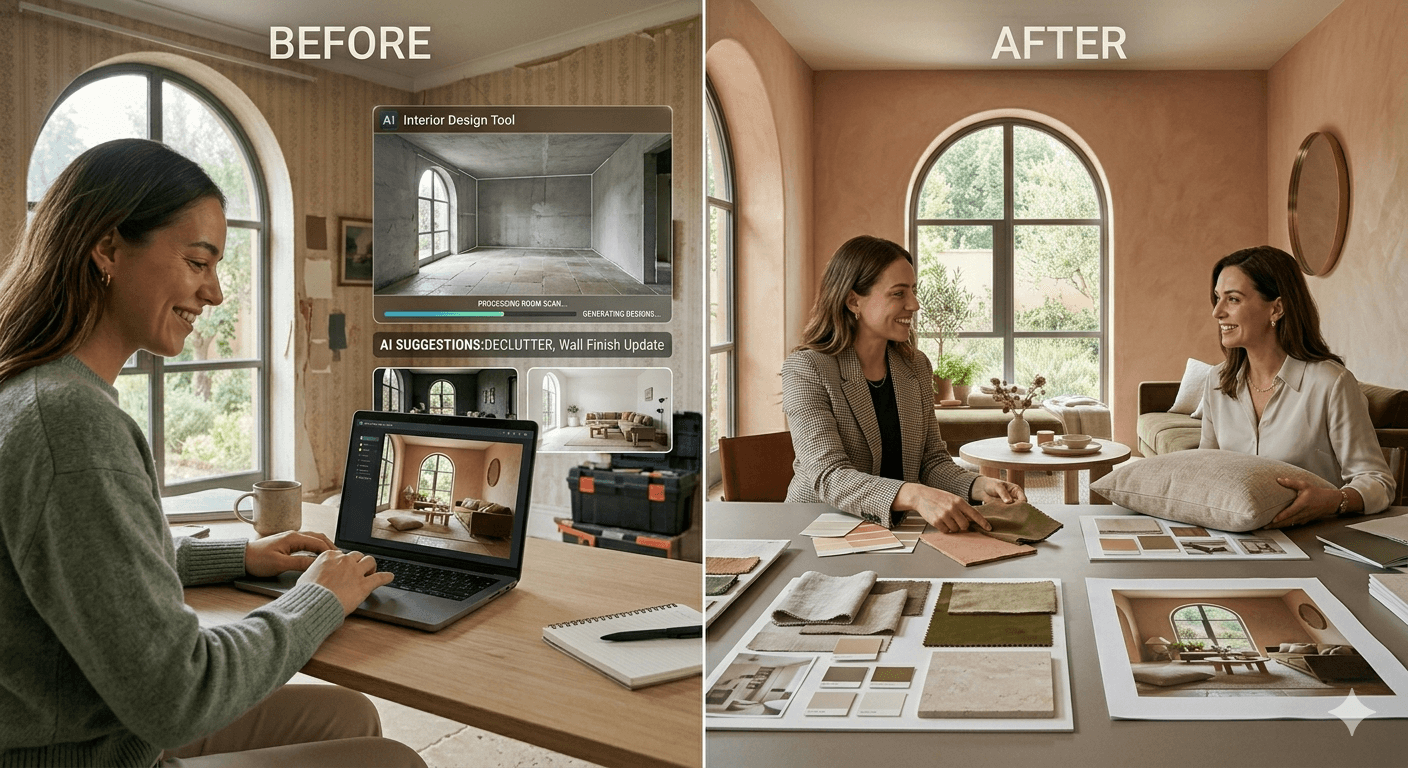
You've been staring at your living room for months. Nothing's working. The layout feels cramped, the colors are dated, and you know a redesign would make a huge difference — but you're not sure where to start.
Here's your dilemma: Do you hire an expensive interior designer, or do you try an AI room design tool? Both can transform your space. But they work completely differently, cost vastly different amounts, and deliver different results. This guide cuts through the hype. We'll compare AI interior design tools vs. professional interior designers side-by-side across cost, timeline, quality, and customization — so you can make the right choice for your specific situation.
Cost Breakdown: Detailed Comparison
This is where the biggest difference exists. Let's be specific.
AI Interior Design Tools
Upfront cost: $0–$20/month. Cost per room: $0 (with free tier) to $60/year (with paid subscription). Hidden costs: None (but you implement everything yourself). Real example: You pay $12.99/month for unlimited designs = $155.88 per year. You design your living room, bedroom, and kitchen in one afternoon. Total design cost: $12.99.
Professional Interior Designers
Upfront cost: $150–$500+ for initial consultation. Hourly rate: $100–$300/hour (varies by location, experience, specialty). Project fees: $2,000–$10,000 per room (full service). Hidden costs include:
- Markup on furniture purchases (usually 10–25%)
- Travel time
- Revision charges (often built into project fees)
- Procurement fees (finding and sourcing items)
Real example: You hire a mid-range designer in Austin, Texas. Initial consultation: $250. Design phase (10 hours at $150/hour): $1,500. Furniture sourcing and procurement: $800. Total design cost before buying any furniture: $2,550.
The verdict:
AI tools cost 5–50x less than designers. However, designers provide services (sourcing, installation, ongoing support) that AI cannot replicate.
Timeline: How Long Each Takes
Speed matters. Some people need results immediately. Others have months to plan.
AI Interior Design Timeline
From upload to ready-to-implement: 5–30 minutes. Exploring multiple styles: 30 minutes to 2 hours. Making implementation decisions: Days to weeks (self-paced). Real example: Monday 3 PM, you upload a photo of your guest bedroom to an AI design tool. By 3:15 PM, you have 10 design variations. By 4 PM, you've identified your preferred direction. By Tuesday, you've ordered paint and two key furniture pieces.
Professional Designer Timeline
Initial consultation: 1–2 weeks (getting an appointment). Design phase: 2–6 weeks (creating plans, mood boards, presentations). Client revisions: 1–2 weeks per round. Furniture ordering and delivery: 8–16 weeks (lead times). Total timeline: 8–20+ weeks (2–5 months for most projects).
The verdict:
AI is 10–20x faster. Designers require patience but handle execution.
Quality & Professionalism: How They Compare
This is where people get confused. "Quality" doesn't mean one is universally better.
AI Interior Design Quality
Strengths:
- Generates unlimited variations instantly
- Styles are always on-trend and cohesive
- Visualizations look professional and polished
- Works with your exact space and lighting
- Never outdated (learns from new design trends)
Limitations:
- Can't assess structural problems (load-bearing walls, electrical)
- Doesn't understand building codes or safety requirements
- Furniture suggestions sometimes don't exist or aren't available locally
- Lighting is sometimes unrealistic (too bright, wrong color temperature)
- Can't handle extremely unusual room shapes or constraints
However, AI interior design from photos has improved dramatically, with most tools now achieving 70–85% real-world accuracy — meaning most AI suggestions are directly implementable.
Professional Designer Quality
Strengths:
- Deep understanding of space, function, and flow
- Navigates structural and code requirements
- Sources real furniture that actually exists
- Can handle unique/difficult spaces
- Understands your lifestyle and values (not just aesthetics)
- Provides ongoing support and adjustments
- Handles full execution (not just ideas)
Limitations:
- Personal taste can differ from yours (bias risk)
- Slower adaptation to emerging trends
- Pricing often reflects their reputation, not quality
- Some designers overdesign (too much change)
- Human error in measurements or specifications
The verdict:
Both produce high-quality results, but in different ways. AI excels at aesthetics and speed. Designers excel at execution and complex problem-solving.
Customization & Control: What You Get
AI Interior Design Control
User-driven: You make all decisions. Variations: Generate infinite design options. Customization: Change colors, swap furniture, adjust styles instantly. Example: You don't like the blue accent wall AI suggested. One click, you see 20 other color options. Still not perfect? Generate a new variation. The entire process takes minutes, not weeks.
Professional Designer Control
Designer-led: Professionals make most design decisions based on your input. Consultation-based: You provide feedback, designer iterates. Customization: Typically 2–3 revision rounds included. Example: You tell designer "I want something modern but warm." Designer creates one comprehensive design proposal with supporting materials. If you want changes, you schedule another meeting. Revisions take 1–2 weeks each.
The verdict:
AI gives you complete control and unlimited iterations. Designers provide expert guidance with limited revision cycles.
When to Choose AI Interior Design
Choose AI if:
- You have a tight budget. ($0–$200 for design) You want to design your space for less than a designer's consultation fee.
- You need fast results. (Days, not months) You're redesigning before guests arrive or preparing an apartment for listing.
- You want to explore multiple styles. AI generates unlimited options across Modern, Boho, Minimalist, Luxury, and more.
- You're renting and want reversible changes. (Throw pillows, paint, rugs, artwork) AI excels at decoration without permanent modifications.
- You're in early planning stages. Use AI to clarify your vision before hiring a designer — a smart hybrid approach.
- You have a straightforward space. Small bedrooms, living rooms, home offices, and studios work exceptionally well with AI tools.
- You want to DIY the implementation. AI provides ideas; you handle execution at your own pace and budget.
When to Hire a Professional Designer
Hire a designer if:
- You need structural changes. (Removing walls, relocating plumbing, adding built-ins) Designers navigate codes, contractors, and permits.
- You're renovating a high-end or luxury home. (Budget: $50,000+) Designers source premium materials and manage complex projects.
- You're designing a commercial space. (Office, restaurant, retail store) Commercial design requires expertise in codes, accessibility, and flow.
- You have an unusual or difficult space. (Odd layouts, sloped ceilings, multiple constraints) Designers excel at creative problem-solving for challenging architectures.
- You need ongoing support and adjustments. Designers provide consultation during implementation, not just at the start.
- You want someone else to source and manage everything. (Hands-off approach) Designers handle furniture selection, ordering, delivery coordination, and installation.
- Your project is complex and interconnected. (Whole home, multistory, integrated design) Complexity favors professional expertise and coordination.
The Hybrid Approach: Best of Both Worlds
Here's a strategy that's becoming increasingly popular: Use AI for inspiration, hire a designer for execution.
Hybrid Workflow Example
Step 1: Explore with AI (1–2 days)
Upload photos to an AI tool. Generate 50+ design options across 5–10 different styles. Identify your preferred aesthetic and specific elements (colors, furniture profiles, materials).
Step 2: Create a Vision Board (3–5 days)
Screenshot your favorite AI designs. Organize by room. Identify style themes and specific elements you love. This clarifies your vision and reduces designer consultation time.
Step 3: Hire Designer with Clear Direction
Show your design board to a professional designer. Say: "I love this Japandi aesthetic. I need help sourcing real furniture and managing the renovation." This cuts consultation time by 50%+ and reduces revision cycles significantly.
Step 4: Designer Handles Execution
Designer sources real furniture, manages contractors, navigates codes, and coordinates installation — the parts AI cannot do.
Cost: AI tool ($12.99/month) + designer ($2,000–$5,000) = $2,013–$5,013
Timeline: 1–2 weeks + designer timeline
Result: Professional quality at a reduced cost
Best for: Medium to large projects where quality execution matters but budget is not unlimited.
Real Case Studies: When Each Wins
AI Success Story: The Renter's Bedroom (New York, NY)
Problem: Sarah rented a cramped Brooklyn bedroom with white walls and no personality. Landlord wouldn't allow permanent changes. Budget: $300 max. Solution: Used Decory.ai to design a boho aesthetic. Generated 20 options. Chose the one with warm terracotta accent walls (painted with removable paint), rattan mirror, and layered textiles. Outcome: Complete bedroom transformation for $287. Entire project took 2 hours. When she moved, everything was removable and portable. Why AI won: Speed, budget, renter-friendly, no commitment needed.
Designer Success Story: The Full Home Renovation (Austin, TX)
Problem: Mike and Jennifer bought a 1970s suburban home needing updates. Structural issues: outdated kitchen, disconnected floor plan, poor lighting throughout. Budget: $85,000. Solution: Hired Austin-based designer specializing in mid-century modern renovations. 16-week project including kitchen renovation, open-plan conversion, and whole-home refresh. Outcome: Home transformed into a modern showcase. Professional execution handled permits, contractors, code compliance. Property value increased by $120,000. Why designer won: Complexity, structural changes, high budget, need for professional execution.
Hybrid Success Story: The Family Room Makeover (Denver, CO)
Problem: The Martinez family had a functional but uninspired family room. They wanted a refresh but felt overwhelmed by options. Budget: $8,000 including furniture. Solution: Used AI tool to explore 40+ design options, narrowed to modern minimalist style. Hired local designer for 3 hours ($450) to review AI concepts, source specific furniture items, and advise on paint colors. Outcome: Beautiful, cohesive family room that felt professionally designed but stayed within budget. Took 8 weeks total. Why hybrid won: Budget consciousness + desire for professional quality.
Final Verdict: Which Should You Choose?
Choose AI if...
- Your budget is under $1,000
- You need results in days, not months
- Your space is rented or you want reversible changes
- You want to explore and iterate freely before committing
- Your project is straightforward (single room, decoration-only)
Choose a Professional Designer if...
- Your budget exceeds $5,000
- You need structural changes or code compliance
- Your space is complex or unusual
- You want someone to handle everything for you
- Your project spans an entire home or commercial space
Choose Hybrid if...
- You want AI's creative exploration + designer's execution
- Your budget is $2,000–$5,000
- You want professional quality at a reduced cost
- You have a clear aesthetic direction but need help with sourcing and execution
Frequently Asked Questions
Is AI interior design worth it?
Yes, if you're on a budget or want fast results. At $12.99/month, the ROI is immediate — one good design decision saves more than the annual subscription cost. Even if you eventually hire a designer, using AI first clarifies your vision and reduces expensive consultation time.
Can AI replace interior designers?
Not completely. AI excels at aesthetics and ideation but cannot navigate structural constraints, building codes, or manage physical execution. Think of AI as a powerful planning tool — not a full-service replacement for complex projects.
How much does an interior designer cost vs. AI tools?
AI tools cost $0–$240/year. Interior designers cost $150–$500 per hour for consultation, with full-service projects running $2,000–$10,000+ per room. For most homeowners, AI delivers the planning and visualization value at 5–50x lower cost.
Which is better for small spaces?
AI tools excel at small spaces. They understand spatial constraints and can test multiple layout configurations quickly. For studios, small bedrooms, and compact living rooms, AI is often the better choice — both for cost reasons and because the design complexity rarely requires professional expertise.
What if AI designs don't match my actual space?
AI designs are about 70–85% accurate in real life. Colors may appear slightly different under your specific lighting conditions, and some furniture proportions may vary. Always verify scale by measuring before purchasing furniture based on AI suggestions. Using room dimensions as input (rather than just photos) significantly improves accuracy.
The Bottom Line
AI interior design and professional designers serve different needs. Neither is universally "better." It depends on your budget, timeline, project complexity, and how involved you want to be in the process.
If you have a tight budget and want fast inspiration: AI wins. If you have a complex project and need professional execution: Designer wins. If you want both: Use the hybrid approach.
Your space deserves intentional design. Whether you go AI, designer, or hybrid, the important thing is that you take action — and now you have the information to make that choice confidently.
Ready to Transform Your Space?
Use Decory's AI-powered design tools to visualize your transformation. Upload a photo and explore endless possibilities in seconds.
Try Decory AI Now