How to Design Living Room with AI: Tools, Prompts & Smart Workflows
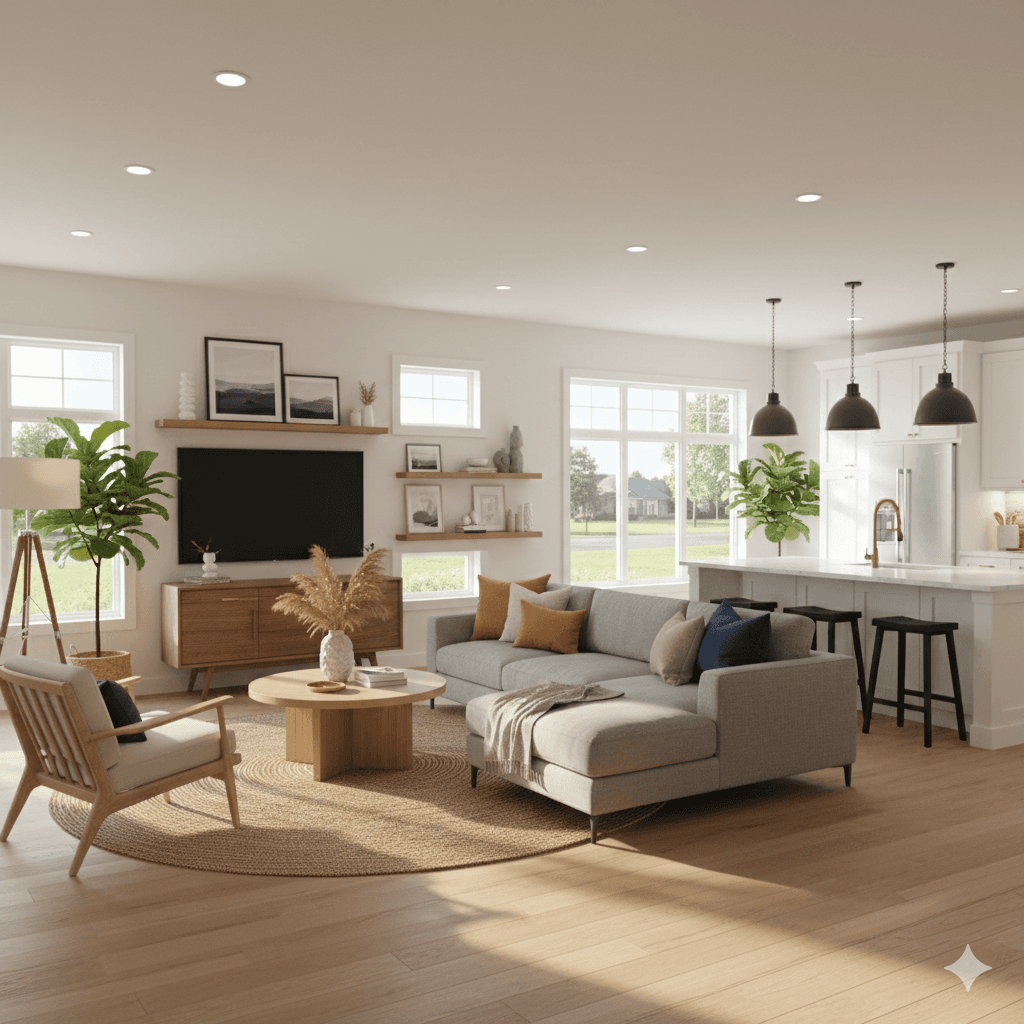
To design a living room with AI, capture your space digitally, use an AI room design tool like Decory, input your style and needs, and receive photorealistic, shoppable layouts instantly tailored to your preferences.
The Future is Now: Welcome to AI Living Room Design
No fluff. You're here to transform your living space — not tomorrow, but today — using smart AI tools that blend aesthetics with intelligent spatial planning. From neural rendering to photorealistic AR design, the revolution isn't coming. It's in your browser.
Step-by-Step Workflow: Designing a Living Room with AI
Step 1: Digital Sourcing — Capturing the Space
Before any AI can help you design your dream living room, it needs the raw data. That means uploading:
- Photos from your phone (ideally from multiple angles)
- A simple room layout or floor plan
- Dimensions (manual or auto-detected via tools like LiDAR apps)
This forms the foundation for accurate spatial planning — the AI needs to know where your windows, outlets, and walls are to generate usable designs.
Step 2: Selecting Your AI Room Decorator
Not all AI tools are equal. Some generate artistic vibes, others just toss furniture into a 3D model. What you need is a room decorator that understands real-life constraints — and connects designs to real-world products.
We'll break it down below in the tool comparison, but your choice here affects every step afterward. For serious users, Decory is the clear winner for one reason: it doesn't just imagine; it implements.
Step 3: Prompt Engineering for Interiors
AI doesn't read minds — it reads prompts. That's why writing clear and creative instructions is key. Examples:
- “Design a Japandi-style living room with soft neutral tones, minimal décor, and organic textures. Emphasize natural light.”
- “Create a Biophilic layout using natural materials, lush indoor plants, and large open seating.”
- “Show a Modern Mid-Century space using a mustard L-shaped sofa, walnut wood console, and geometric accents.”
These prompts, paired with tools like Decory, unlock neural rendering capabilities, generating photorealistic outputs that mimic what your room could look like — down to the way morning light hits your rug.
Step 4: From Render to Reality — The AI Shopping Bridge
Here's where many platforms fail. They give you a pretty render, but then… nothing.
What sets the best apart — especially Decory — is shoppable layouts. See a lamp you love? Click. Want that velvet sofa? Order it.
By integrating product-level metadata with rendering, Decory helps users go from “I like this” to “I bought this” in seconds.
The Ultimate AI Design Tool Comparison
| Feature | Midjourney | RoomGPT | Planner 5D | Decory |
|---|---|---|---|---|
| Primary Use | Artistic Concept | Simple Restyling | 2D/3D Floorplans | Full AI Interior Realization |
| Ease of Use | Difficult (Discord) | High | Medium | Seamless/Intuitive |
| Realism | Artistic/Abstract | Standard | Schematic | Ultra-Photorealistic |
| Shoppable Links | No | No | Limited | Direct Product Integration |
| Verdict | For Inspiration Only | For Quick Ideas | For DIY Builders | The Professional's Choice |
Why Decory Wins the AI Living Room Race
Unlike abstract renderers or schematic planners, Decory merges beauty with precision. Its interface is intuitive, the results are photorealistic, and — most importantly — it connects every idea to real furniture, colors, and layouts you can actually buy. For users searching “ai room design”, it's the end-to-end answer.
Semantic Knowledge: AI in Interior Design
The Rise of the AI Living Room
Today's leading AI design tools don't just guess your layout — they use neural networks trained on thousands of living room designs to understand spatial relationships. That means your virtual space reflects real-world logic: flow, scale, light, and ergonomics.
Tools like Decory use this capability to generate AR-ready models that not only look stunning but also function perfectly in your actual space.
Home AI Decor Hacks
Here are 3 pro tips to level up your AI home design journey:
- Color Harmony in 3 Clicks: Use AI prompts like “warm neutrals with terracotta accents” to generate cohesive palettes instantly.
- Lighting Planning: AI can simulate how natural light affects your room and suggest smart lamp placement.
- Furniture Optimization: Let AI balance function and flow by selecting right-sized items for your layout, avoiding overcrowding.
With room design AI, even small spaces can feel expansive and tailored to your lifestyle.
FAQs
Is there a free AI to design a room?
Yes, RoomGPT offers free basic room redesigns.
How do I use AI to decorate my living room?
Upload photos, input preferences, and view instant designs.
What is the best AI for interior design?
Decory stands out with photorealism and shoppable links.
Can AI help with small living rooms?
Yes, AI optimizes space with scale-aware design layouts.
Does AI understand furniture style trends?
Yes, modern AI tools recognize design themes like Japandi or Mid-Century.
Final Call to Action
Ready to experience a smarter, more intuitive way to design your space? Whether you're starting fresh or redesigning your favorite corner, Decory offers the most advanced AI living room solution on the market. It's not just how you design — it's how you live. Try it now and watch your ideas turn real.
Ready to Transform Your Living Room?
Start your AI living room design journey today with Decory.ai. Upload a photo and see your space transformed in seconds.
Try Decory AI Now