Back to Blog

How to Decorate a Room with AI

10 min read
AI-powered room decoration

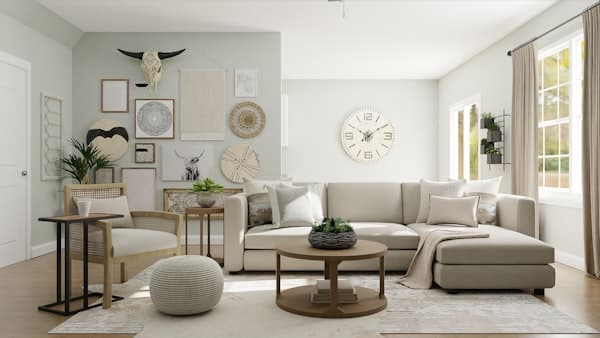
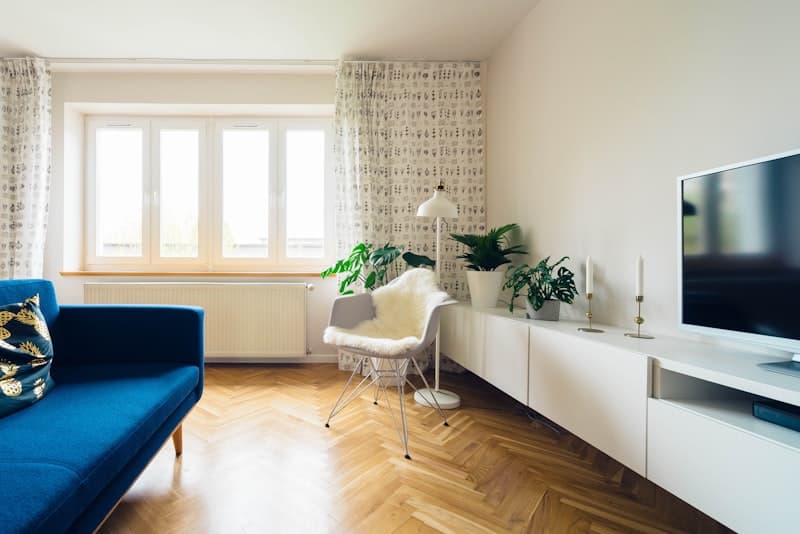
Decorating a room can be an exciting yet daunting task. What if you could instantly visualize different designs for your space without lifting a hammer or paintbrush? Now you can – thanks to AI room decoration tools that transform the way we approach interior design.

Why Use AI to Decorate Your Room?

AI is revolutionizing interior design by acting as a creative assistant for your home. Here are a few key benefits of using smart interior design software for home styling:

  • Instant Visualization: AI can take a photo of your room and virtually redesign it in seconds. You get a photorealistic preview of a new layout, color scheme, or style without any physical changes. This saves you from costly mistakes and helps you see possibilities you might not have imagined.
  • Creative Inspiration: Stuck choosing a style or theme? An AI interior design tool can suggest styles and combinations you might not have considered. From modern minimalist to cozy farmhouse, AI generates fresh ideas tailored to your space.
  • Time and Cost Savings: Trying multiple furniture arrangements or paint colors in real life can be time-consuming and expensive. AI offers a risk-free sandbox. You can virtually stage and decorate your room multiple times before making any purchases.
  • User-Friendly for All: You don't need to be a pro to use an AI app for home decor. These tools are designed for beginners and professionals alike. Homeowners can quickly get design ideas, while seasoned designers can use AI to speed up their workflow.

In short, using AI in room decorating combines the power of technology with your personal taste, making the design process faster, smarter, and a lot of fun.

Choosing an AI Room Decorator App or Tool

Before diving into the how-to, you need the right AI room decorator app. There are many AI interior design tools available today, each with its own features. When choosing one, consider the following:

  • Ease of Use: Look for a tool with a simple interface that lets you upload a photo and get results in a few steps. For example, Decory is an AI-powered room decorator app that helps design beautiful spaces with minimal effort.
  • Style Options: The best AI decor apps offer a variety of design styles and themes (modern, rustic, minimalist, bohemian, etc.). This variety allows you to personalize the output. Ensure the app you choose has styles that match your aesthetic preferences.
  • Output Quality: Check if the app provides high-quality, photorealistic renders. Crisp images with accurate lighting and textures will help you trust the AI's suggestions. Some advanced tools even let you adjust specific elements after generation.
  • Cost and Access: Many AI home design apps have free basic versions or trial uses, with paid plans for more renders or higher resolution images. Decide what fits your budget. There are free options like Decory that offer great value.
  • Extra Features: Consider any additional perks. Some smart interior design software can generate shopping lists with links to furniture that match the design. Others might allow you to adjust the layout or swap individual pieces. These features can make the transition from virtual to real design smoother.

Take some time to explore a couple of AI design tools and choose one that feels intuitive. Once you have your preferred AI interior design tool, you're ready for the next step.

Step-by-Step Guide: How to Use AI to Decorate a Room
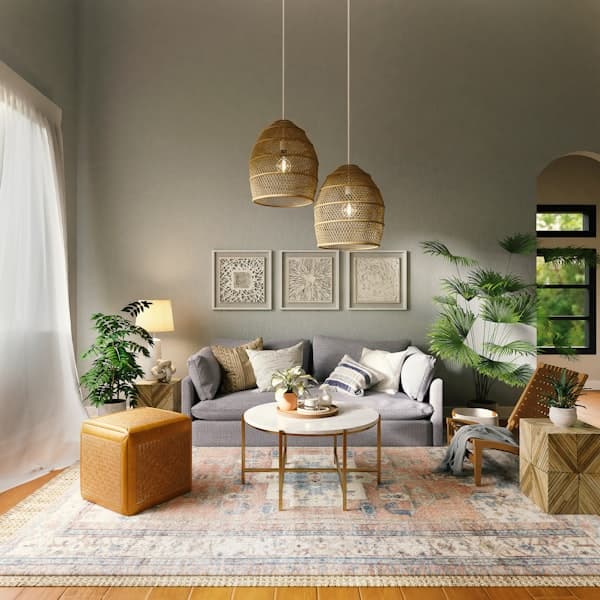
Using AI to decorate is straightforward. Here's a step-by-step guide to transforming your space with an AI assistant:

  1. Prepare Your Room and Camera: First, tidy up the room you want to redesign and take a clear photo. The better the input image, the better the AI suggestions. Make sure the lighting is good and capture the room from a wide angle so the AI can see the full space.
  2. Choose a Room Decor AI Tool: Open your chosen AI decorate room app or software. This could be a mobile app or a web-based tool. Create an account if needed. Navigate to the feature for room redesign or decoration.
  3. Upload the Room Photo: Upload the picture of your room into the app. The AI will analyze your room's layout, existing furniture, and lighting. This analysis helps it create a realistic redesign. (If using room dimensions instead, enter those details accurately.)
  4. Select a Style or Theme: Now, choose a design style or theme for your room makeover. Most AI interior design tool interfaces have style presets like "Modern Coastal", "Industrial Chic", "Scandinavian Minimal", or "Bohemian Eclectic". Pick one that appeals to you, or try a few to compare.
  5. Generate AI Design Ideas: It's time to let the AI room decorator work its magic. Hit the "Generate" or "Design" button. The AI will process your input and create one or more redesigned images of your room. This usually takes just a few seconds to a minute.
  6. Review and Refine: Take a good look at the AI-generated designs. This is where user control is key. Identify what you love and what you would change. Maybe you like the furniture arrangement in option A but prefer the color scheme from option B. Many tools let you regenerate or tweak specific aspects.
  7. Save and Implement Your Design: Once you're happy with an AI-generated design, save the image or design plan. Now, translate that idea into reality. Use the visualization as a reference: you might not find the exact furniture the AI suggested, but you can find similar pieces that capture the same vibe.

By following these steps, using AI to decorate a room becomes a structured process that anyone can follow. The AI handles the heavy lifting of design visualization, while you remain the decision-maker. For more tips on how to use AI to decorate a room, check out our detailed guides.

AI Bedroom Design and Other Room Makeovers

One great thing about AI design apps is that they can work for any room in your home. Whether it's a bedroom, living room, kitchen, or a small home office, the process is similar and just as effective.

  • AI Bedroom Design: Bedrooms are personal spaces, and AI can help tailor them to your taste. Simply upload a photo of your bedroom and try styles that match the mood you want – maybe a serene Scandinavian look for better sleep, or a vibrant bohemian style for a creative retreat.
  • Living Rooms and Common Areas: The living room often needs to balance comfort and style, and AI is very handy here. With an AI room decorator, you can see how your living room might look with a new layout, different furniture, or a completely new color scheme before making any changes.
  • Home Office or Study: Need a productive yet stylish study space? AI tools will recognize a desk and shelves in your room photo and can propose a better arrangement or a totally new style (say, a sleek modern office or a cozy library nook).
  • Kitchens, Bathrooms, and Beyond: Even for rooms like kitchens or bathrooms, some AI design apps offer suggestions (though these are more structural spaces – changes might involve renovation). You might use AI to visualize new cabinet colors, backsplash options, or overall layout improvements.

No matter the room, AI decorate room technology allows you to visualize transformations across the entire home. The key is that you specify the room type in the app (bedroom, living, study, etc.), and the AI will tailor its suggestions accordingly.

Personalizing Your AI-Designed Space

One common misconception is that using AI means handing over your decor decisions to a robot. In reality, personalization and user control are at the heart of AI-assisted design. You remain the author of your space; AI is just a powerful tool in your toolkit.

  • Tailor the Input: Good AI design apps let you set parameters so the output aligns with your lifestyle. For instance, if you have kids or pets, you might choose a prompt or style that is "family-friendly" or "durable." This helps the AI suggest appropriate materials and layouts.
  • Multiple Options to Choose From: Rather than giving you a single fixed design, AI tools often generate several variations. You get to choose which design (or which parts of each design) you like best. Mix and match elements from different AI-generated options.
  • Adjust and Iterate: You might not love the first design the AI comes up with – and that's okay! Treat it as a conversation. If the initial result isn't hitting the mark, refine your instructions and try again. Some decor AI tools even learn from your preferences over time.
  • Keep What You Like, Change What You Don't: You have full veto power. If the AI suggests moving your sofa to a spot that doesn't make sense to you, trust your instinct. These tools are smart, but they don't know your daily routines or personal preferences like you do.
  • Unique Touches: AI might introduce you to new ideas, but your space should still reflect you. After using the AI, be sure to add personal touches that might not come from a computer: family photos, travel souvenirs, artwork you love, or heirloom pieces that tell your story.

By actively guiding the AI and making decisions at each step, you ensure the final design isn't a generic template but a home that matches your personality and needs. The technology is there to augment your creativity, not replace it.

From AI Vision to Reality: Tips for Bringing Your Design to Life

After playing with an AI interior design tool and landing on a room design you love, it's time for the exciting part – turning that virtual design into a real space in your home. Here are some expert tips to bridge the gap between AI visualization and actual implementation:

  • Measure Everything: AI images can sometimes distort scale or size, so use a tape measure in your actual room. Measure your space and any new furniture you plan to buy. For example, if the AI suggests a large sectional sofa, make sure it will actually fit through your door and in your room.
  • Match to Real-World Materials: The AI design likely shows colors and textures – maybe a certain shade of green for the walls or a type of wood finish for furniture. Visit paint stores to find swatches that match, and look for furniture with similar materials and finishes. Bring your AI-generated image with you for reference.
  • Source Furniture and Decor: If your chosen AI app provided product suggestions or shopping links, you have a head start – you can purchase the same or similar items directly. If not, no worries. Take screenshots of the AI design and use them as inspiration when shopping. Look for pieces that capture the same style, color, and feel.
  • Plan the Implementation: Decide if you'll do it all at once or in stages. Maybe paint the walls first, then get new furniture, then add décor accessories. Doing a big redecoration can be overwhelming, so breaking it into steps makes it manageable. The AI design serves as your roadmap.
  • Stay Flexible: As you execute the design, you might encounter constraints – perhaps the exact sofa from the design is out of budget or unavailable. In such cases, use the AI design's general direction and color palette, but be open to alternatives that achieve the same look and feel.
  • Enjoy the Process: Bringing an AI-designed room to life is like assembling a puzzle where you already know the picture. Have fun with it! As pieces come together – the new curtains go up, the furniture arrives, the accessories find their places – you'll see your vision materialize.

With these steps, the gap between virtual design and physical space becomes easy to bridge. By leveraging AI for planning and visualization, then carefully executing with attention to detail, you truly get the best of both worlds: the speed and creativity of AI, plus the personal touch and quality of real-world implementation.

Conclusion

AI is changing the game in interior design. It empowers everyone – from first-time decorators to professional designers – to envision room transformations quickly and confidently. By using an AI app for room decoration, you're not replacing your creativity; you're amplifying it with powerful technology.

Now that you know how to use AI to decorate a room, you can approach your next room makeover with excitement instead of hesitation. Play around with styles, trust your instinct on what feels right, and remember that the AI is there to serve your vision, not dictate it. Whether you're redesigning a single room or planning a whole-home transformation, AI room decoration tools like Decory make the process accessible, fun, and surprisingly accurate. Give it a try and watch your space come to life!

FAQ: Common Questions about AI Room Design

Q1: How do I use AI to decorate a room?

Choose an AI interior design app, upload a photo or room dimensions, pick a style, and let the AI generate designs. Most apps guide you through the process step by step.

Q2: What is the best AI app for home decor?

Decory is a top choice for its easy interface, wide style options, and smart features. It's user-friendly and produces high-quality design visualizations.

Q3: Do I need design or tech skills to use AI room decorator tools?

No. These apps are designed to be user-friendly, so you don't need special design or technical skills. Just upload a photo and let the AI do the work.

Q4: Are AI room decorator tools free?

Many offer free trials or basic versions. Full features may require a paid subscription, but you can often get started for free to test the service.

Q5: Can AI replace professional interior designers?

No. AI can offer ideas and visualizations, but it lacks the creativity and personal touch of a professional interior designer. However, AI is a great tool for inspiration and planning, and many designers use it to enhance their work.

Ready to Transform Your Room?

Start your AI room decoration journey today with Decory.ai. Upload a photo and see your space transformed in seconds.

Try Decory AI Now

Related Articles